Sharp MX-M364N Driver Download Windows, Mac and Install Software – Sharp MX-M364N is available with many features that will make your business easier than ever. This machine is available with the base models. For the base models, they have a multitasking controller, printing system, auto-duplexing, and network scanning. Additionally, the machine offers a paper drawer with 500 sheets and a bypass tray for 100 sheets.
As a monochrome and multifunctional printer, this machine offers a digital system for your documents. You can operate the machine from the seven-inch of the color touch screen display. Besides, this is what you need for copying, printing, network scanning, faxing, and document filing. Here are all the things you should know about Sharp MX-M364N.
Sharp MX-M364N Features
When it comes to the features, we need to talk about the performance of the machine. To copy, this device can do multiple copies with a maximum capacity of 999 copies. It means that you do not have to stand up in front of the machine just to make sure that your copies are there. Additionally, the copy speed of Sharp MX-M364N is about 36 pages per minute.
As a copier, you should wait for 12 seconds before the machine is ready to copy. You can zoom in or zoom out your document from 25% to 400%. On the other hand, this machine is great for scanning your documents. It works with the capacity to scan 56 images per minute.
Next, let us talk about the paper capacity and paper system. The machine offers 600 sheets as the standard paper capacity. But, the maximum capacity offers 6,600 sheets. That is more than enough to help you run your business. For the paper feeding capacity, the standard is 500 sheets for the paper drawer. Also, there is a bypass tray for 100 sheets. Buyers can go with optional features such as single, double, and triple drawers. These optional features offer 500 sheets for each.
Sharp MX-M364N Specs
There are some good points about this machine when it comes to the specs. Well, it has a standard automatic duplex technology. It goes for its copying and printing capability. Also, Sharp supports it with the use of 800 MHz of multi-processor. Meanwhile, the memory in this machine is in size of 3GB as the standard for copying and printing.
Sharp MX-M364N Toner Cartridge
When you buy this machine, the company included some supplies such as developer, drum, and toner cartridge. It is also interesting to know that there is some optional equipment including a staple cartridge for the machine. Sharp MX-M364N supports you with the toner and cartridge supplies you can buy anytime you need. When you need to replace the cartridge, it is easy to do because the machine has a nice design to help you maintain the cartridge performance.
Sharp MX-M364N Full Review help you know better about this product. We recommend you to read ths first before buying this machine for your office.
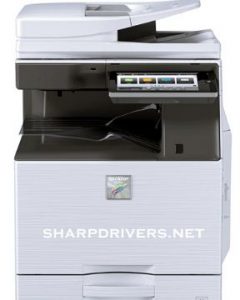
Sharp MX-M364N
Here are the steps Sharp MX-M364N installation software for windows, mac and how to driver downloads.
How to download:
- Click Download File, to download the file.
- When the File Download window appears, click Save & click OK.
- If the Download Complete window appears, click Close.
How to install for Windows:
- Use a USB cable to connect the computer and printer.
- Double-click on the file that you downloaded.
- After that, open the installed file & click run
- Follow the on-screen your installation instructions.”
How to install for Mac:
- Select the downloaded file.
- Then, Click the MacOSx folder.
- Click the folder for your version.
- Click the installer package & follow instructions.
- Enter the Name and Password. Then click Install Software.
- When the installation has completed screen appears, click close.
Sharp MX-M364N Driver Download
Microsoft Windows 10 32-bit, Windows 10 64-bit, Windows 8 32-bit, Windows 8 64-bit, Windows 8.1 32-bit, Windows 8.1 64-bit, Windows 7 32-bit, Windows 7 64-bit, Windows Vista 32-bit, Windows Vista 64-bit, Windows XP 32-bit, Windows XP 64-bit.
Sharp MX-M364N Driver Windows 64 Bit > Download
Sharp MX-M364N Driver Windows 32 Bit > Download
Macintosh MacOS 10.13 (High Sierra), MacOS 10.12 (Sierra), 10.11.x (El Capitan), 10.10.x (Yosemite), 10.9.x (Mavericks), 10.8.x (Mountain Lion), 10.7.x (Lion).
Sharp MX-M364N Driver Macintosh > Download
Sharp MX-M364N TWAIN Driver > Download
Driver For Sharp MX-M364N Printer Official Website > Click Here